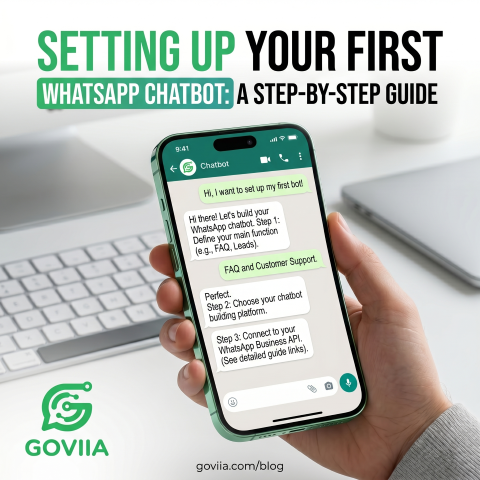
In 2026, a business that doesn't automate its customer interaction is already behind. WhatsApp chatbots have transitioned from being a "nice-to-have" luxury to a critical necessity for scaling operations without exponentially increasing support costs.
Why Your Business Needs a WhatsApp Bot
Imagine having a tireless employee who never sleeps, speaks every language, and can handle a thousand conversations simultaneously. That's what a well-configured WhatsApp chatbot does. It ensures that every customer query—whether it's at 2 PM or 2 AM—gets an immediate, helpful response.
Step 1: Onboarding with GOVIIA
Before you can build a bot, you need access to the Official WhatsApp Business API. Unofficial tools often get banned, which can be disastrous for your business. Start by signing up on the GOVIIA platform and connecting your Facebook Business Manager through our seamless Embedded Signup flow.
Step 2: Defining the "Flow"
Don't just start building; plan first. What are the top 5 questions your customers ask?
- "What are your working hours?"
- "Where is my order?"
- "What is your pricing?"
Step 3: Building Keyword Auto-Replies
The simplest form of a bot uses keywords. In the GOVIIA dashboard, you can set "Triggers". For example, if a user sends a message containing the word "Price", the bot can automatically reply with your current pricing catalog. This handles 60-70% of standard inquiries instantly.
Step 4: Levelling Up with AI
For more complex queries, keyword bots can feel limited. This is where GOVIIA's AI integration shines. By connecting models like Google's Gemini or OpenAI's ChatGPT through our API, your bot can understand context, intent, and even handle nuanced customer complaints with empathy.
Testing and Optimization
Before going live, test your bot with your team. Try to "break" it with weird questions. Use the analytics in the GOVIIA dashboard to see where users get stuck and refine your bot's responses weekly.
Ready to build your first bot?
Head over to your GOVIIA dashboard now and start building. Automation is just a few clicks away!